
Where the heck are the rosters on the club's new website? They are of course in the 'Member Area', however to make it easier to check, direct links have now been put up under the menu item 'Member Resources' on the front page. You will still have to Login to access them. Read more by clicking on the link below.
ClubRunner is more accessible for members to use and changes the way we use our website. No need to ask the Club Secretary, or the Bulletin Editor or even the Webmaster to do things for you with the inevitable delay. You can do it yourself without delay. There are plenty of help articles, or try this trick. In your Google search bar type: "ClubRunner how do I ......"? Try this one: "ClubRunner how do I send an email"?
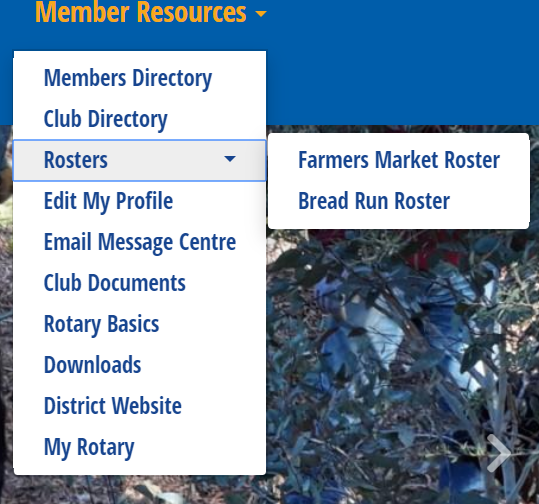 You can now access the rosters from the 'Member Resources' dropdown menu on the Home Page of the club's new website. You will need to be logged in to reach them.
You can also access them more formally, with much more functionality, from within the 'Member Area':
> Member Area
> Volunteers
> View Signup Lists
and then click on the roster you would like to view. You can even sign up from here, or email the rosterer, or any member on the roster, or all members. Take a look. It's great!